FocusCard: Screen Time Block app icon

FocusCard: Screen Time Block

Plan the day. It defends itself.

Productivity iOS

Get App Store
Category
Productivity
Runs on
iPhone, iPad
Developer
Cihat SALİK

Preview

iOS

FocusCard: Screen Time Block screenshot 1
FocusCard: Screen Time Block screenshot 2
FocusCard: Screen Time Block screenshot 3
FocusCard: Screen Time Block screenshot 4
FocusCard: Screen Time Block screenshot 5
FocusCard: Screen Time Block screenshot 6
FocusCard: Screen Time Block screenshot 7
FocusCard: Screen Time Block screenshot 8
FocusCard: Screen Time Block screenshot 9
FocusCard: Screen Time Block screenshot 10
FocusCard: Screen Time Block screenshot 11
FocusCard: Screen Time Block screenshot 12

About

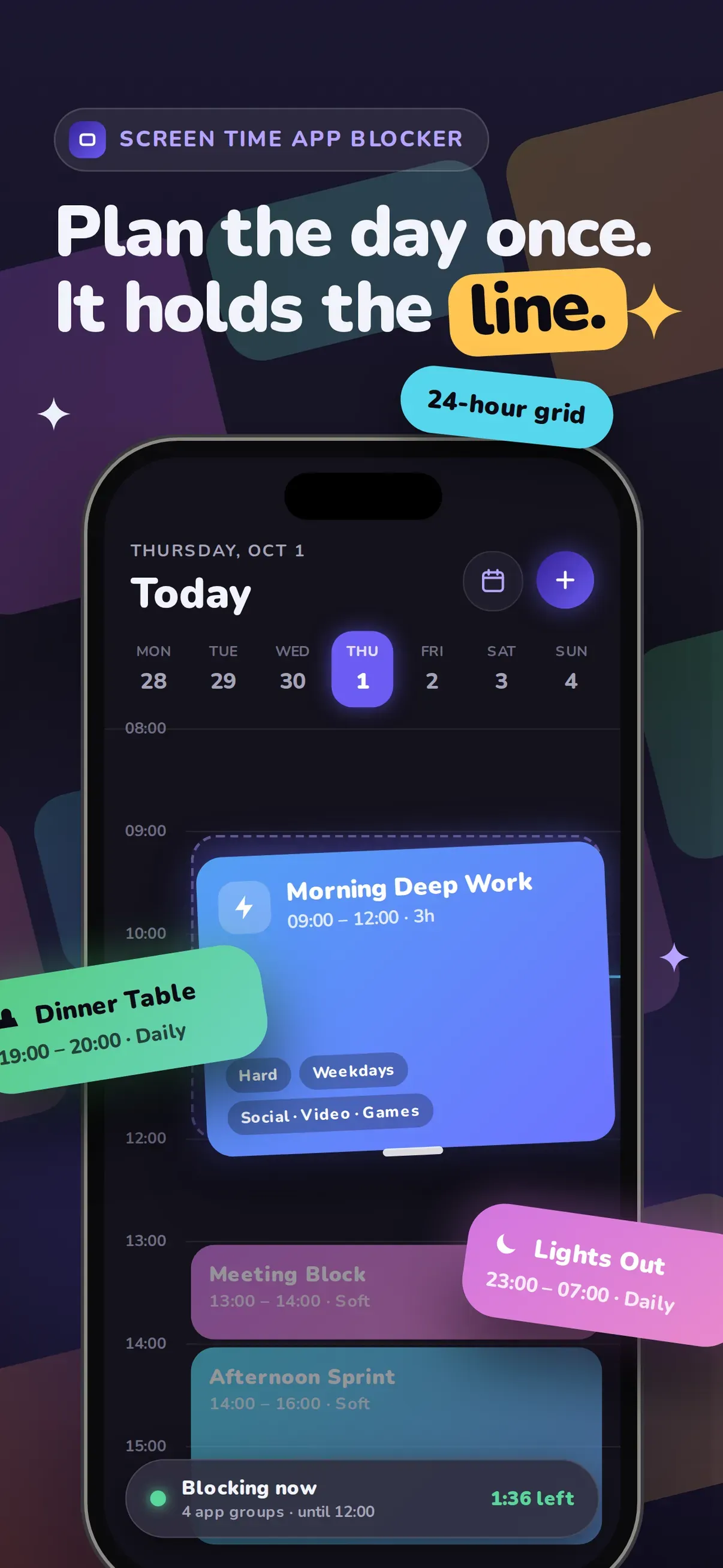
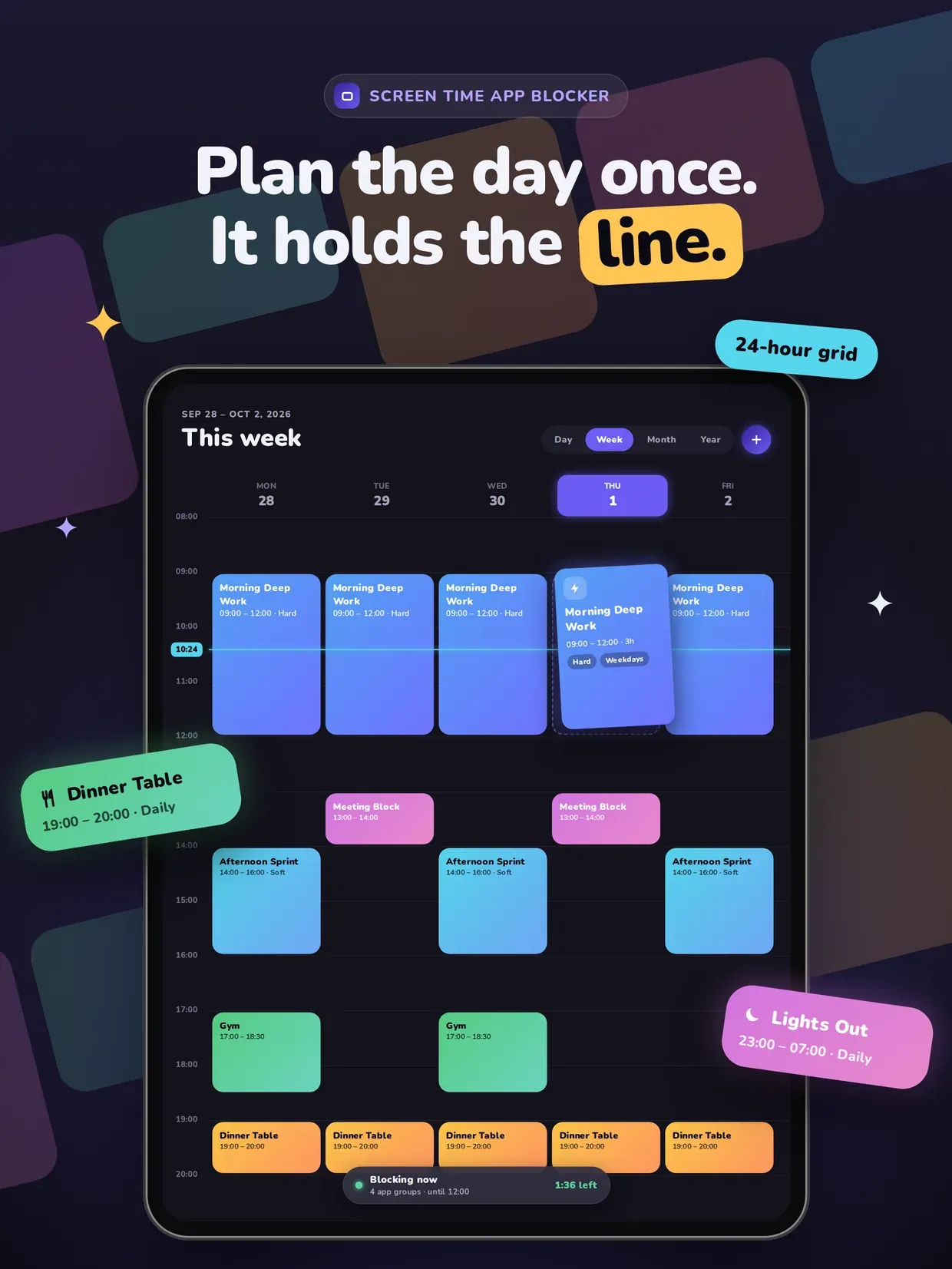
FocusCard is the app blocker you plan like a calendar. Instead of starting a timer every time you want to focus, you lay your blocks on a 24-hour grid once — and the day defends itself.

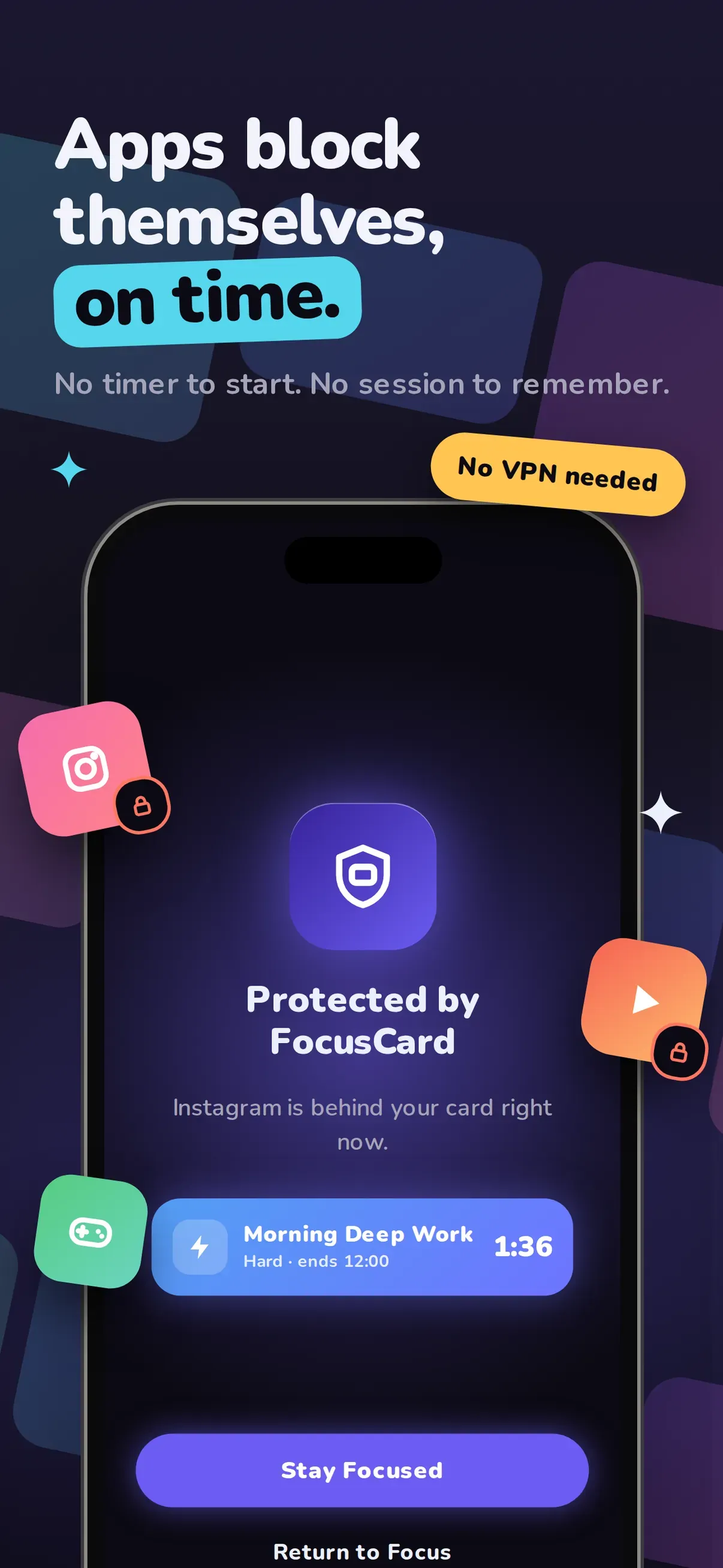
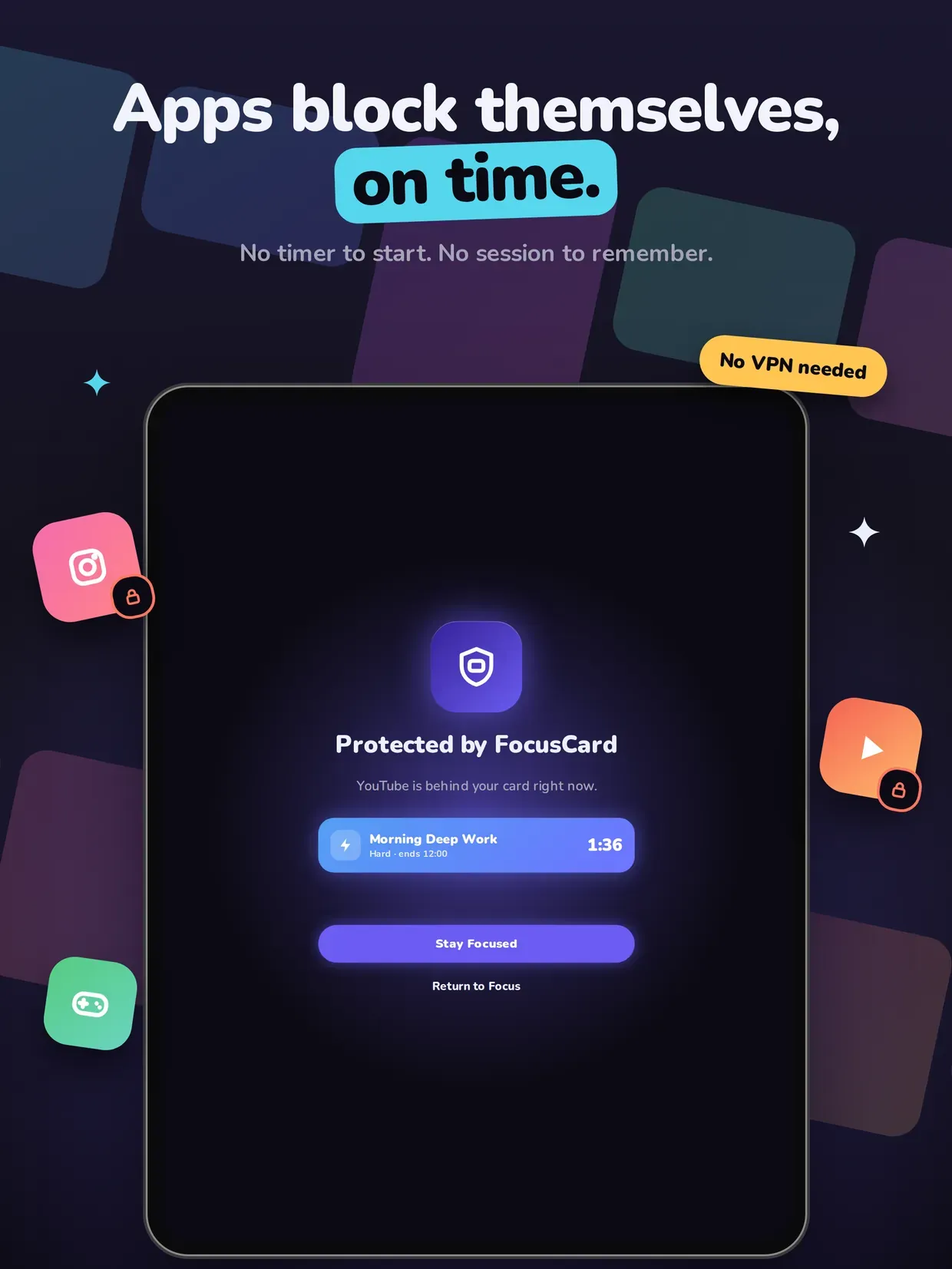
Drag a card onto the hour you want protected. Stretch it to the length you need. Choose which apps stay outside it. From then on those apps shield themselves the second the block begins, and come back the second it ends.

THE TIME GRID

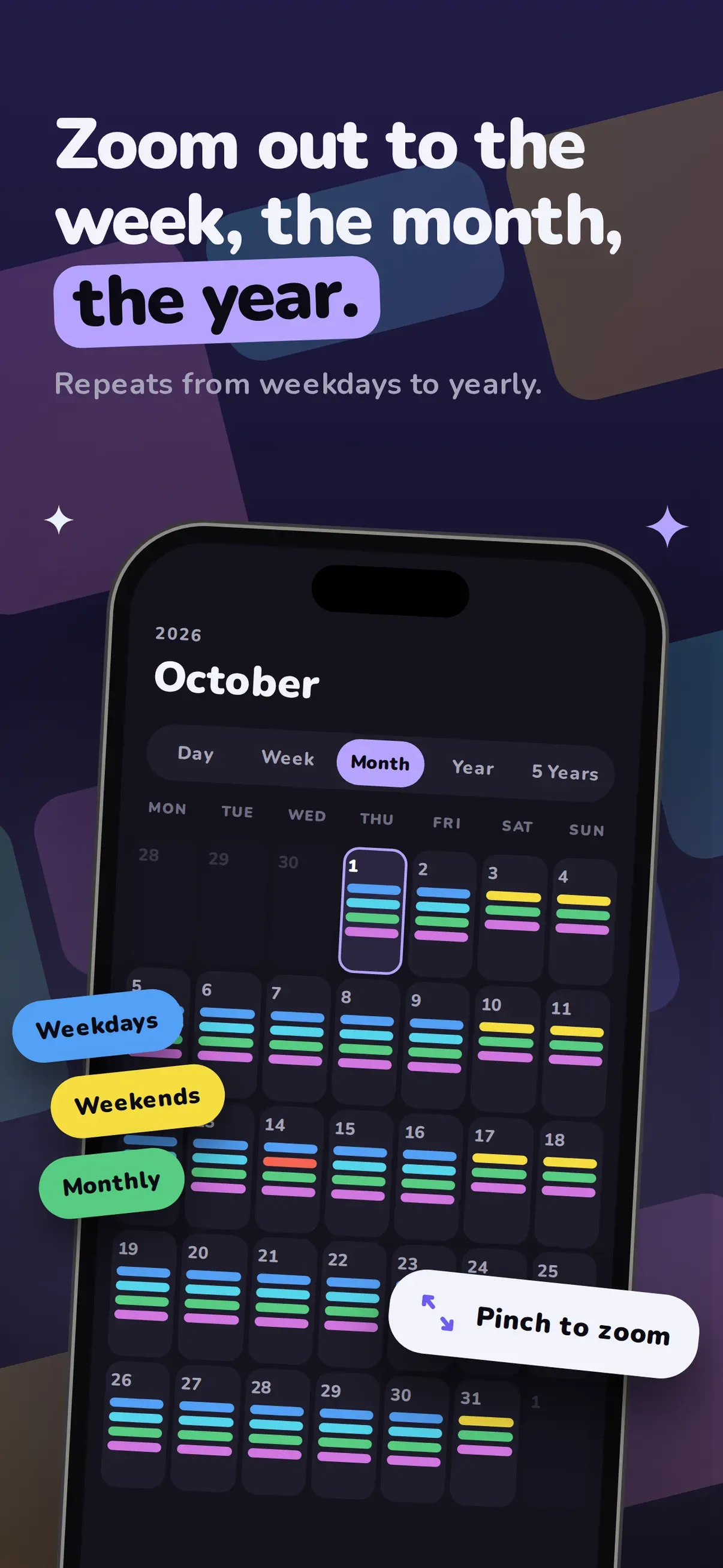
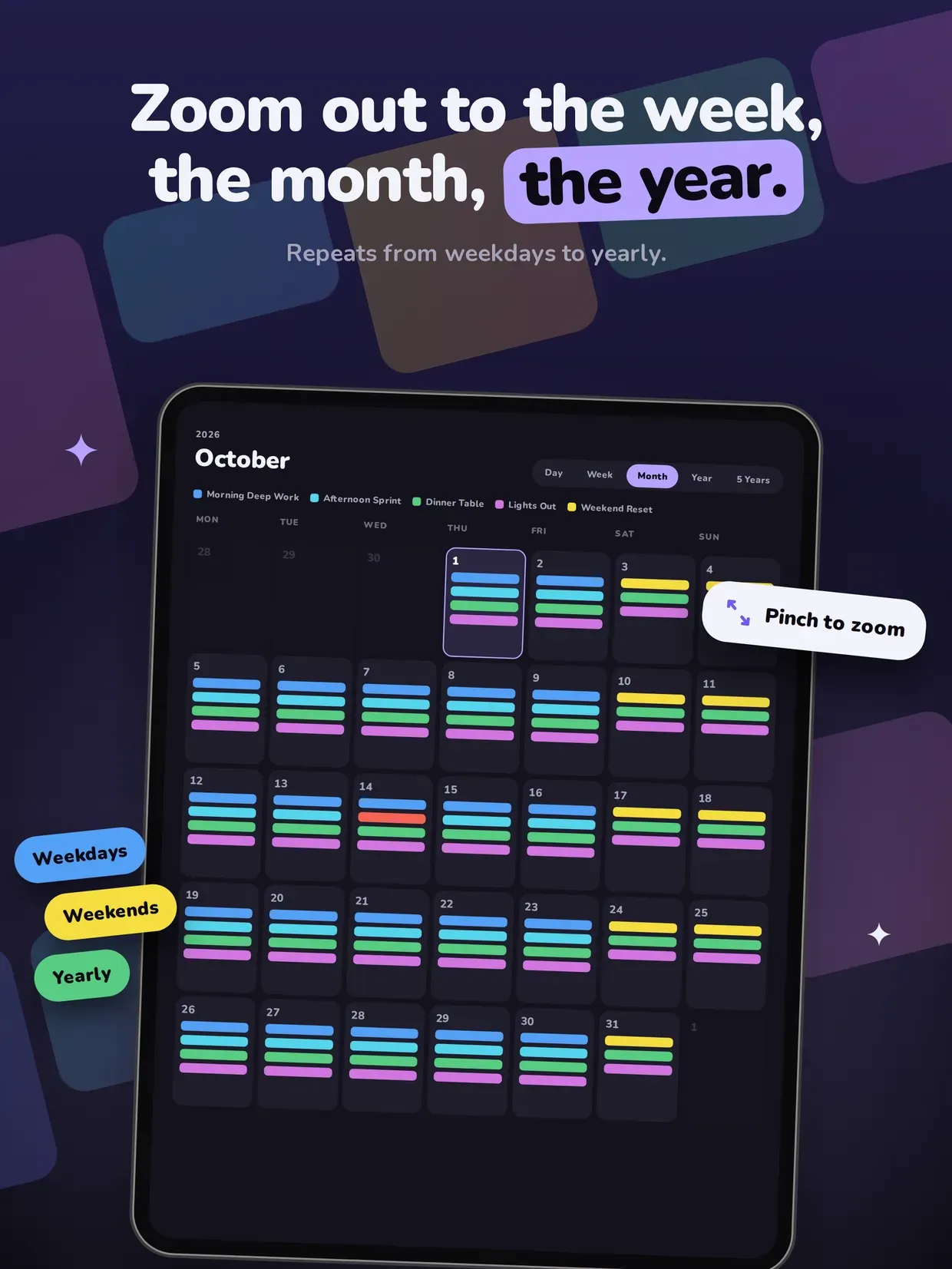
A real 24-hour day view, not a list of toggles. Overlapping cards sit side by side in lanes, a live line follows the current time, and you can pinch to zoom out to the week, the month, the year, or a five-year map of your habits.

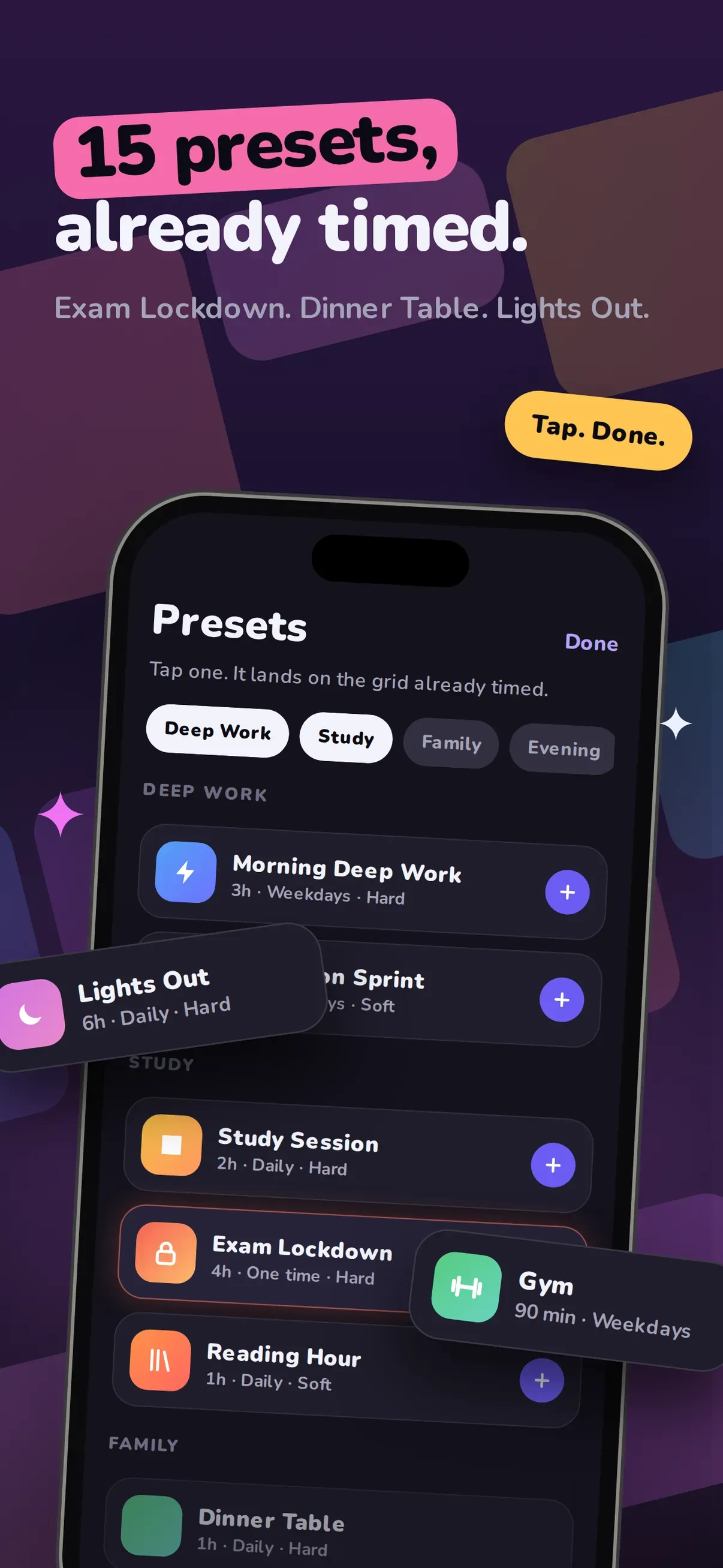
15 READY-MADE PRESETS

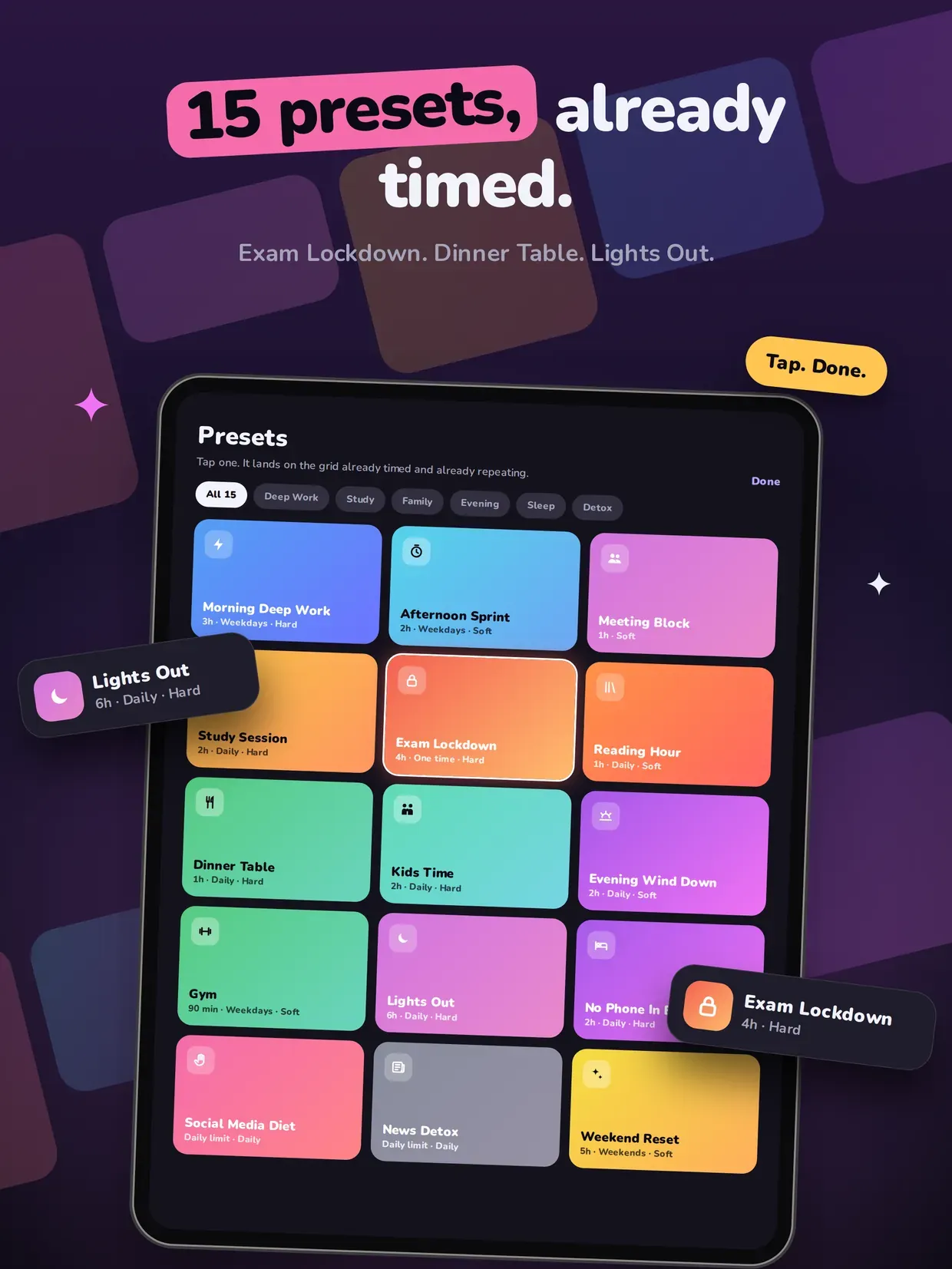
Tap a preset and it lands on the grid already timed, already repeating, already pointed at the right apps — across Deep Work, Study, Family, Evening, Sleep and Detox.

THREE WAYS TO BLOCK

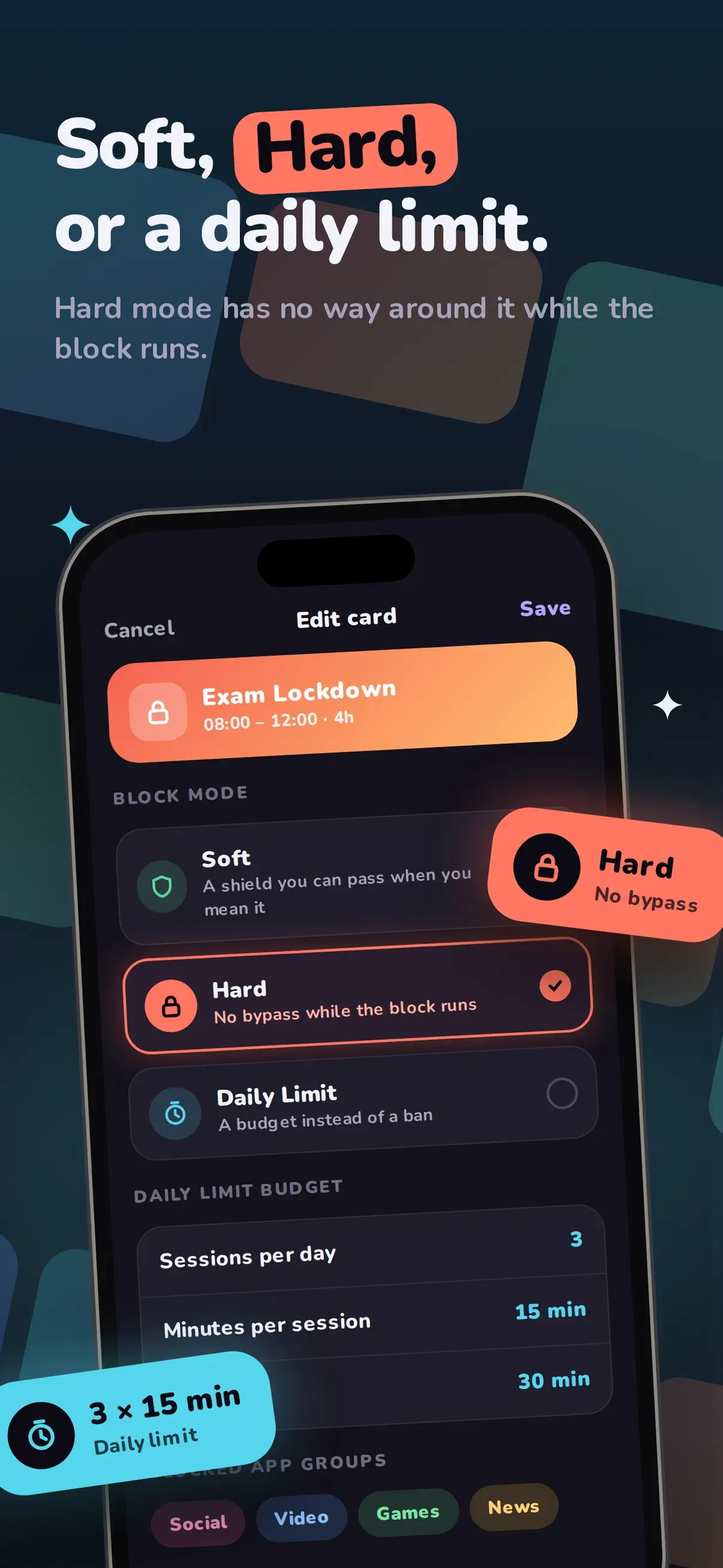
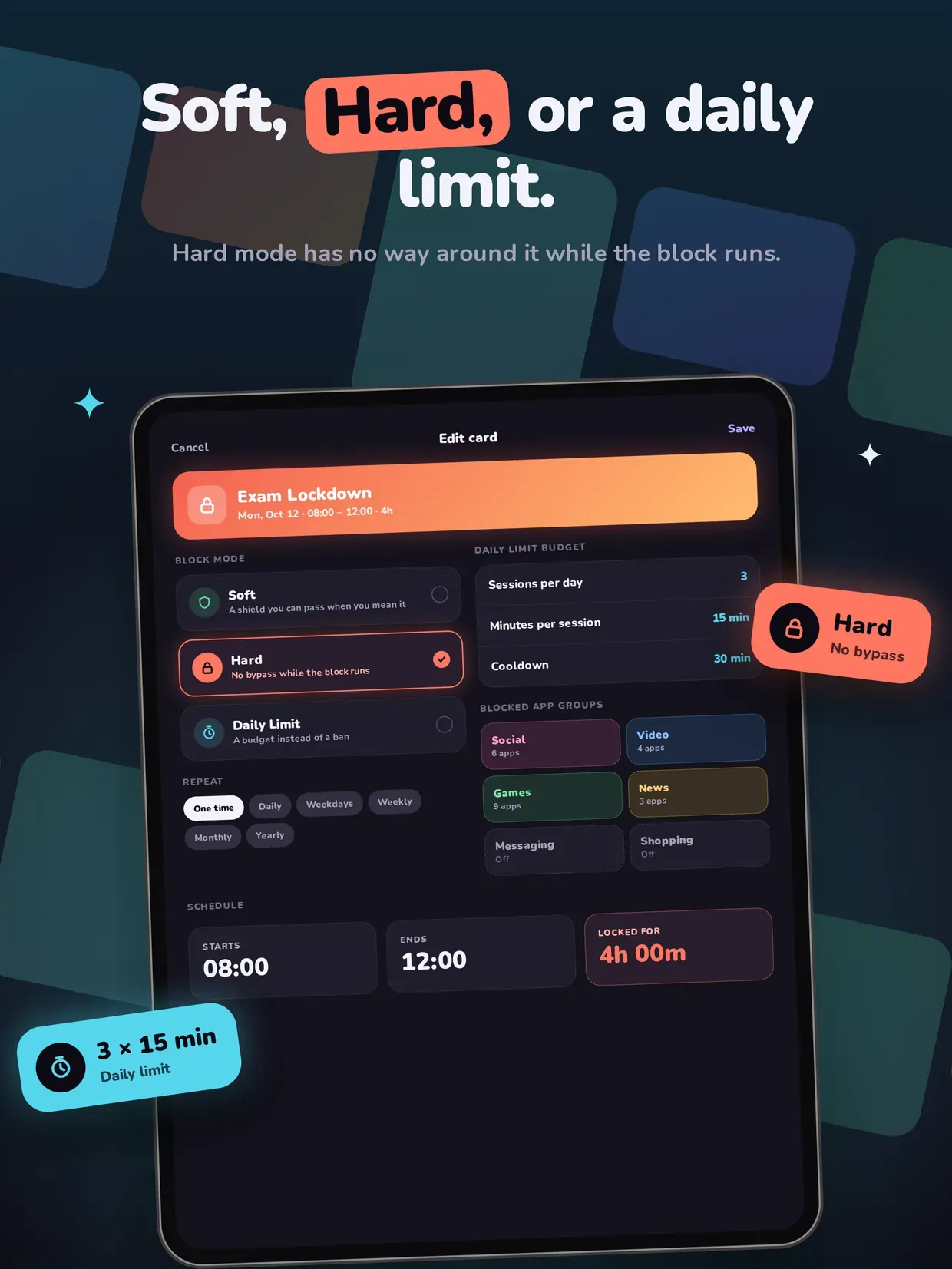
Soft is a shield you can pass when you genuinely mean it. Hard has no bypass while the block runs. Daily Limit is a budget instead of a ban: sessions per day, minutes per session, and a cooldown between them.

APP GROUPS YOU SET UP ONCE

Sort your distractions into Social, Video, Games, Messaging, News and Shopping. Every preset and every new card pulls from those groups, so you never hunt through the picker twice.

PRIVATE BY DESIGN

FocusCard runs on Apple Screen Time (Family Controls). No VPN, no profile to install, no account to create. Your usage never leaves your device and is never sold.

Stop negotiating with yourself at 9am. Place the card once, and let the day hold the line.

Highlights

  • Plan blocks on a 24-hour time grid — drag to place, drag the edge to resize
  • 15 ready-made presets across Deep Work, Study, Family, Evening, Sleep and Detox
  • Three block modes: Soft, Hard, and a Daily Limit budget with sessions and cooldown
  • App groups: Social, Video, Games, Messaging, News and Shopping, set up once
  • Repeats from daily and weekdays all the way to yearly
  • Pinch to zoom out to week, month, year and five-year views
  • Pause a card to the side rail instead of deleting it
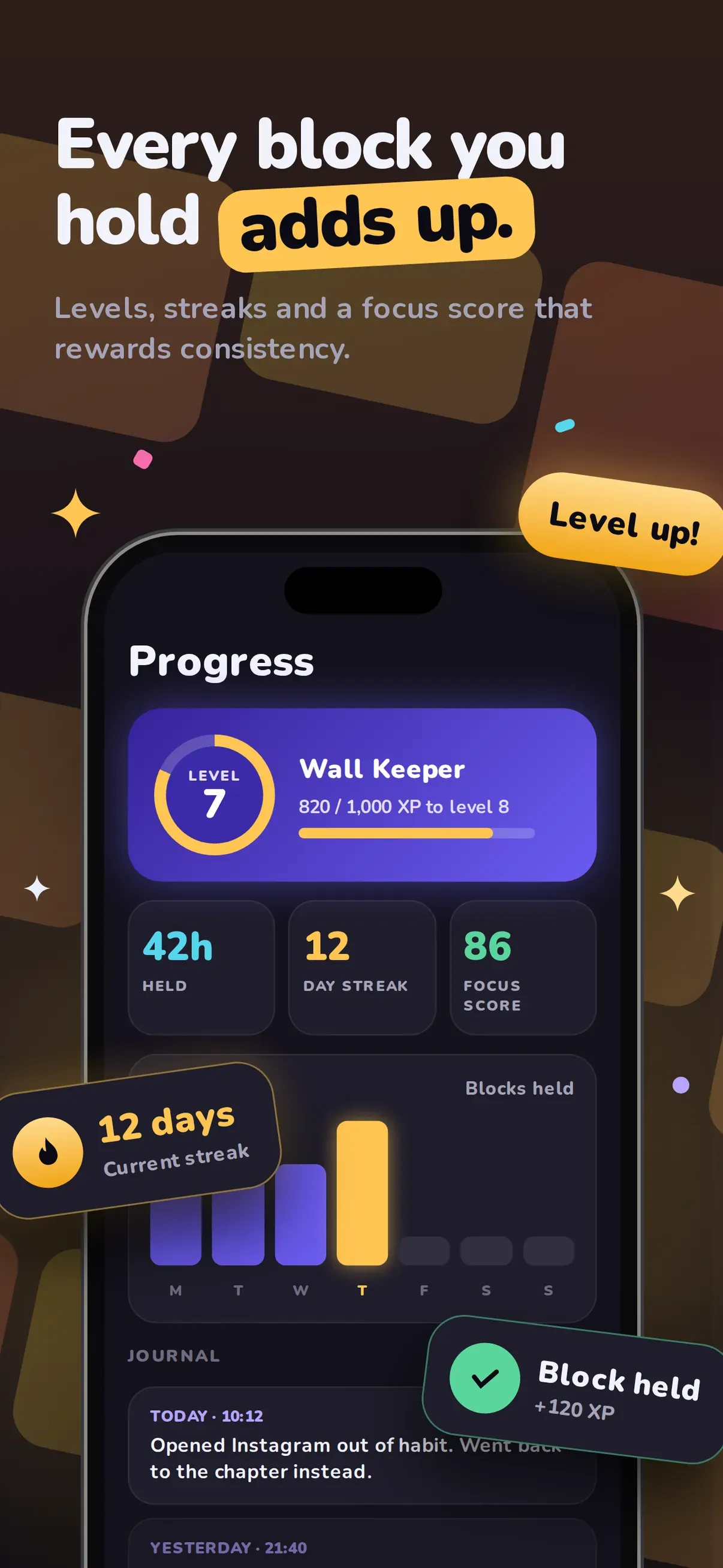
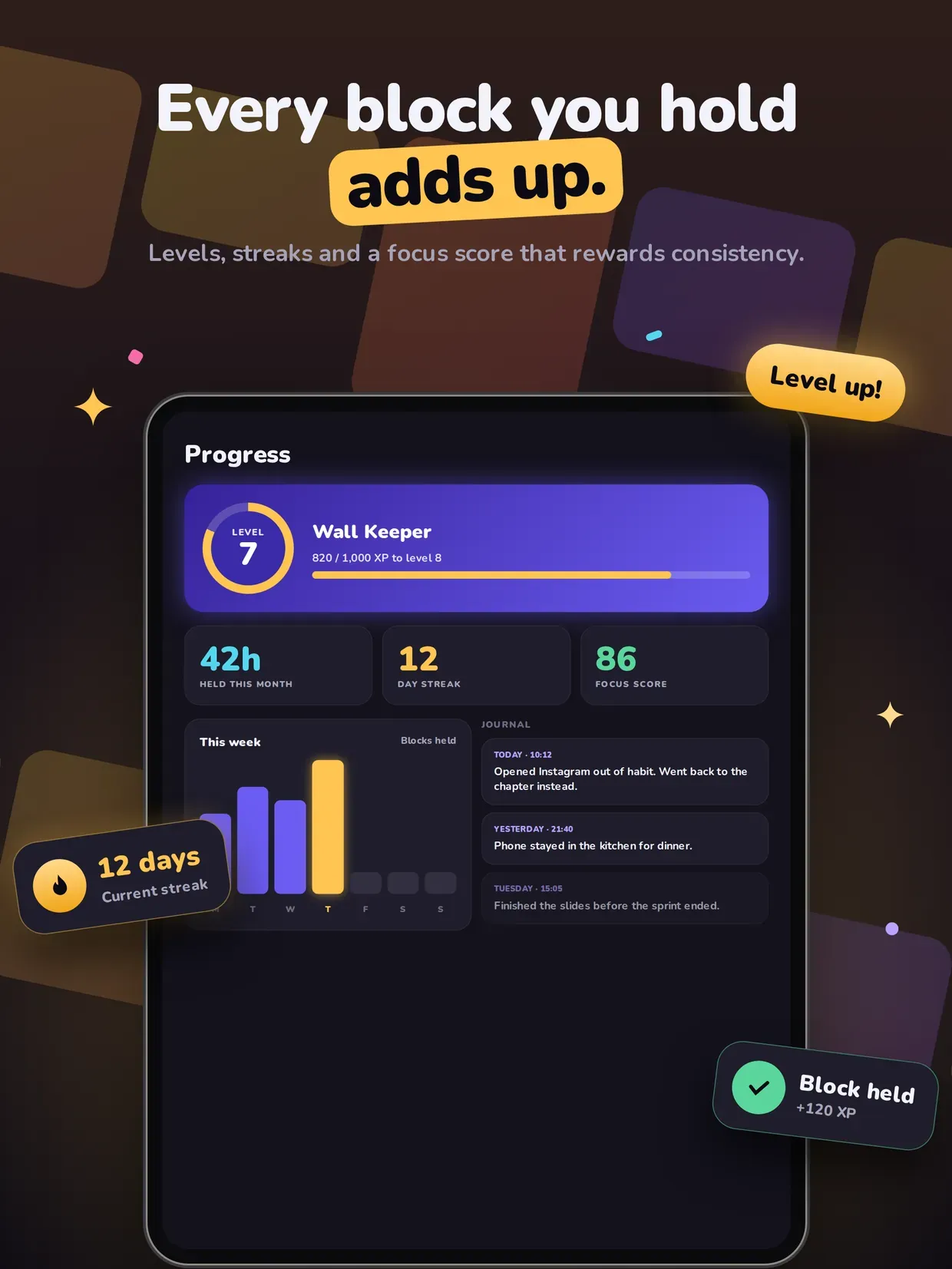
  • Levels, streaks and a focus score for every block you hold
  • Built on Apple Screen Time / Family Controls (no VPN, no configuration profiles)
  • iPhone and iPad (iOS 17+)

Get FocusCard: Screen Time Block

Plan the day. It defends itself.

Same corner of the toy box

If FocusCard: Screen Time Block is your kind of thing, these live in the same neighbourhood — all made by the same pair of hands.